
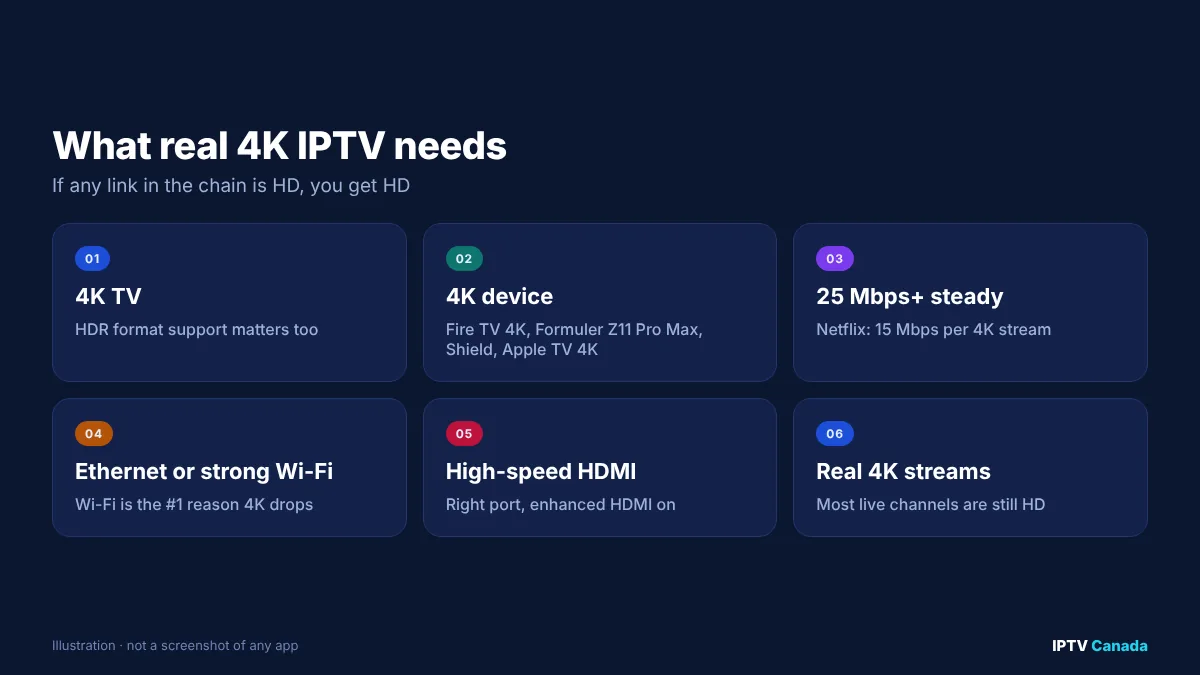
Quick answer: To watch 4K IPTV in Canada you need four things: a 4K TV, a 4K-capable streaming device (such as a Fire TV Stick 4K, Formuler Z11 Pro Max, Nvidia Shield or a 4K Android TV box), an internet connection of at least 25 Mbps that stays steady in the evening (Netflix recommends 15 Mbps per 4K stream), and an IPTV service that actually carries 4K streams on the channels you watch. Most live channels are still broadcast in HD, so “4K IPTV” usually means a selection of 4K channels and on-demand titles, not every channel in 4K.
“4K IPTV” is one of the most common claims in IPTV advertising, and one of the least explained. A service can call itself 4K even if only a handful of channels are in 4K, and a viewer can pay for 4K and still see HD because one link in the chain does not support it.
This guide explains what 4K IPTV really means, which devices and internet speeds Canadians need, how to check whether you are actually watching 4K, and how to fix the problems that stop 4K from working.
Table of Contents
What is 4K IPTV?
4K IPTV is internet television delivered at Ultra HD resolution: 3840 × 2160 pixels, four times the number of pixels in a Full HD (1080p) picture. On a large TV, the difference shows up as sharper detail in sport, nature documentaries and films.
In IPTV, 4K usually comes in two forms:
- Live 4K channels that carry selected events, such as some major sports broadcasts, in Ultra HD.
- 4K video on demand, where films and series are available in a 4K version.
Most regular live TV channels in Canada, as elsewhere, are still produced and broadcast in HD. That is normal, and it means no IPTV service can turn every channel into true 4K. What a service can do is carry the 4K feeds that exist and deliver HD channels cleanly.
4K, UHD, HDR and “4K upscaled”: what is the difference?
| Term | What it means | What to look for |
|---|---|---|
| 4K / UHD | 3840 × 2160 resolution | Native 4K source, not just a 4K label |
| HDR (HDR10, HDR10+, Dolby Vision, HLG) | Wider brightness and colour range | Your TV and device must both support the format |
| Upscaling | A device or TV enlarges an HD picture to fill a 4K screen | Improves HD, but it is not native 4K |
| Bitrate | How much data the stream uses per second | Low-bitrate “4K” can look worse than good HD |
| Frame rate | Frames per second; 50 or 60 fps for sport | Smoother motion in fast action |
The key point is that resolution alone does not guarantee quality. A 4K stream compressed too heavily can look softer than a well-encoded 1080p stream.
What you need to watch 4K IPTV in Canada
1. A 4K TV
Any 4K TV sold in Canada in recent years can display Ultra HD. For HDR, check which formats your TV supports, because a stream in Dolby Vision will fall back to standard HDR or SDR on a TV that does not support it.
2. A 4K-capable streaming device
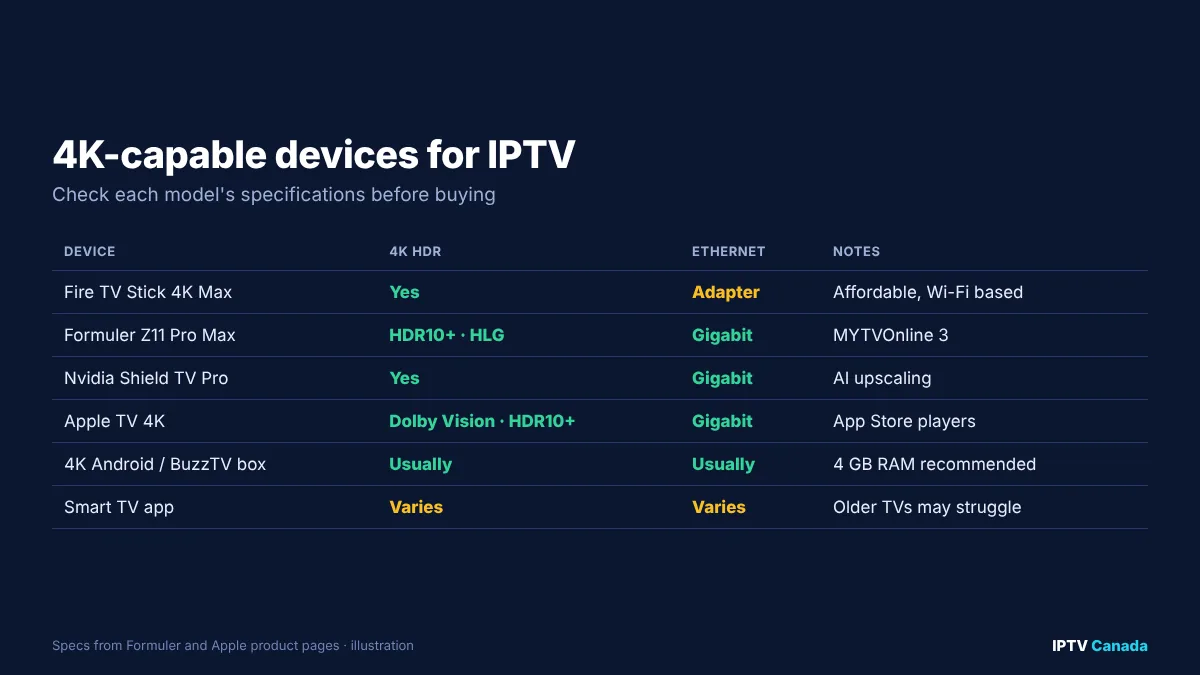
Your device must decode 4K video and output it over HDMI. Common choices in Canada include:
- Fire TV Stick 4K / 4K Max: affordable and widely used, but relies on Wi-Fi unless you add an Ethernet adapter.
- Formuler Z11 Pro Max: Formuler’s specifications list 4K output with HDR10+ and HLG, Wi-Fi 6 and Gigabit Ethernet.
- Nvidia Shield TV Pro: a long-standing favourite for smooth playback and upscaling.
- Apple TV 4K: Apple lists Dolby Vision and HDR10+ support on its current model’s technical specifications, along with Gigabit Ethernet.
- 4K Android TV and Google TV boxes, and BuzzTV models: fine choices if they have enough memory and a recent processor.
- Smart TV apps: convenient, but older or budget TVs sometimes struggle with high-bitrate IPTV streams.
Our guide to the best IPTV box in Canada compares these devices in more detail.
3. Enough internet speed, consistently
Netflix recommends a steady connection of 15 Mbps or more for 4K per stream. For live 4K IPTV, aim for more headroom:
| Household | Suggested minimum download speed |
|---|---|
| One 4K stream | 25 Mbps |
| One 4K + one HD stream | 40 Mbps |
| Two 4K streams | 50 Mbps |
| Two 4K + phones and laptops in use | 75–100 Mbps |
The CRTC’s universal service objective in Telecom Regulatory Policy 2016-496 targets 50 Mbps download and 10 Mbps upload, which covers one or two 4K streams for most homes. The real test is speed at 8pm on a weeknight or during a big game, not the number on your internet bill.
4. A wired connection where possible
Wi-Fi is the most common reason 4K drops to HD. Use an Ethernet cable to the main TV if you can. If not, a mesh Wi-Fi system or powerline adapters are good alternatives. Keep the router in the open, away from thick walls and appliances.
5. The right HDMI cable and port
Use a high-speed HDMI cable and connect the device to an HDMI port that supports 4K at 60 Hz with HDR. On some TVs, only certain ports support full 4K HDR, or you need to enable an “enhanced” HDMI setting in the TV menu.
6. An IPTV service with real 4K streams
Finally, the service must carry 4K versions of the channels or titles you want. Before subscribing, check which channels are listed as 4K, and test them during a trial. Our channel list shows how IPTV Canada organises its categories.
How to check whether you are really watching 4K
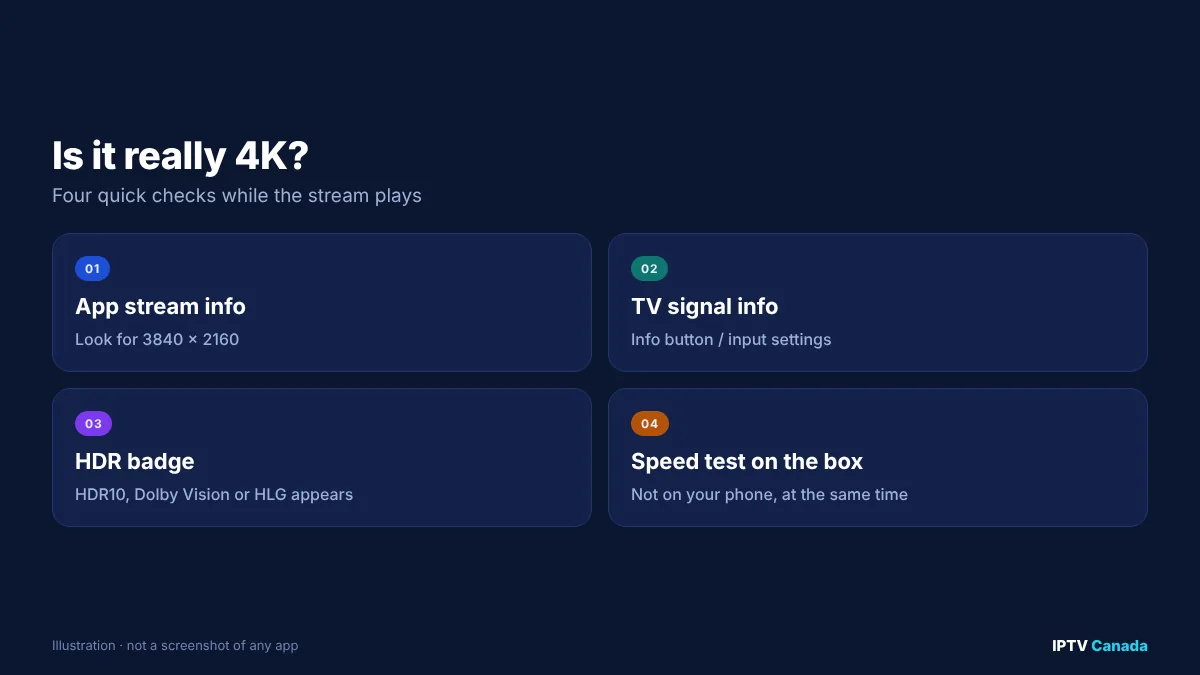
- Look at the stream information in your app. Many players, including TiviMate and IPTV Smarters Pro, can show the resolution of the current stream (for example 3840 × 2160).
- Check your TV’s signal information. Most TVs show the incoming resolution and HDR format when you press the info button or open the input settings.
- Look for the HDR badge. If the stream is HDR and your TV supports it, an HDR10, Dolby Vision or HLG badge usually appears briefly.
- Run a speed test on the device itself while the stream plays, using a speed test app on the box rather than your phone.
If the app shows 1920 × 1080, the channel you are watching is HD, whatever its name says.
Device and app settings for the best 4K picture
- Set the output resolution on your device to 4K (2160p).
- Turn on “match frame rate” or auto frame rate, if available, so 50 or 60 fps sport plays smoothly.
- Enable HDR or “match dynamic range” so HDR is only used when the content is HDR.
- Choose a hardware decoder in the IPTV app’s player settings. Software decoding struggles with 4K on many devices.
- Increase the buffer slightly if 4K stutters, accepting a small extra delay.
- Close background apps and restart the device regularly.
Why 4K IPTV buffers and how to fix it
| Symptom | Likely cause | Fix |
|---|---|---|
| 4K drops to HD in the evening | Neighbourhood or Wi-Fi congestion | Ethernet, mesh Wi-Fi, test speed at peak time |
| Picture freezes every few seconds | Device too slow, or software decoding | Use hardware decoder; upgrade device |
| No HDR badge | TV, HDMI port or setting does not support it | Use the right HDMI port; enable enhanced HDMI |
| Fine on HD, stutters on 4K | Not enough bandwidth headroom | Close other streams/downloads; upgrade plan |
| Only some 4K channels stutter | Provider-side issue on those channels | Report the channel and time to support |
Our IPTV buffering fixes for Canada go into more depth on routers, DNS and VPNs.
Is 4K IPTV worth it?
4K is worth it if you have a large TV (55 inches or more), sit reasonably close, and watch content that is actually produced in 4K, especially sport and films. On a 43-inch TV across a large room, or for channels that are only available in HD, a well-encoded HD stream looks almost as good and uses far less bandwidth.
A sensible approach is to treat 4K as a bonus: choose a service that delivers HD channels reliably, check which 4K channels and titles it carries, and make sure your setup can handle them before paying for a longer plan. Our guide to IPTV costs in Canada explains what to expect at each price level.
A note on legality
4K or not, the legal question is the same: whether the provider has the rights to distribute the channels it offers. Canada’s Copyright Act protects broadcasts, and courts have ordered internet providers to block unauthorised streaming services. Our article What is IPTV in Canada covers legality and how to judge a provider.
Test 4K on your own setup
The only reliable way to know whether 4K IPTV works in your home is to test it on your own TV, device and internet, at the times you normally watch. IPTV Canada’s 24-hour trial lets you check the 4K channels and on-demand titles on your setup before choosing a plan in CAD.
Frequently asked questions
What internet speed do I need for 4K IPTV in Canada?
Netflix recommends at least 15 Mbps per 4K stream. For live 4K IPTV, aim for 25 Mbps or more for one stream and around 50 Mbps for two, with speeds that stay steady in the evening.
Are all IPTV channels in 4K?
No. Most live TV channels are still produced in HD. 4K IPTV usually means a selection of 4K channels, such as some sports events, plus 4K films and series on demand.
Which device is best for 4K IPTV?
Good options include the Fire TV Stick 4K Max, Formuler Z11 Pro Max, Nvidia Shield TV Pro, Apple TV 4K and 4K Android TV boxes. Choose one with Ethernet or strong Wi-Fi, and enough memory for smooth playback.
How do I know if I am watching 4K?
Check the stream information in your IPTV app or your TV’s signal information. A 4K stream shows 3840 × 2160. If it shows 1920 × 1080, you are watching HD.
Why does my 4K IPTV keep buffering?
The most common causes are Wi-Fi congestion, not enough bandwidth at peak times, and devices that cannot decode 4K smoothly. Use Ethernet, choose a hardware decoder and test your speed on the device itself.
Is 4K IPTV worth it?
It is worth it on a large 4K TV for content that is produced in 4K, especially sport and films. For regular HD channels, a well-encoded HD stream looks almost as good and uses less bandwidth.
Sources and further reading
- Internet connection speed recommendations, Netflix Help Centre.
- Telecom Regulatory Policy CRTC 2016-496, CRTC.
- Formuler Z11 Pro Max specifications, Formuler.
- Apple TV 4K technical specifications, Apple.
- Copyright Act (R.S.C., 1985, c. C-42), Justice Laws Website.
Get the next IPTV guide by email
New setup guides, app comparisons and buffering fixes for Canadian viewers – about two emails a month, no spam, unsubscribe in one click.